“`html
Last updated: August 27, 2026
This page answers common questions about WebEyeClinic — how Visio works, when an Eye Doctor can join your chat, what happens if no doctor is online, how to upload eye images and PDF reports, how to return securely when a doctor messages you, and when online guidance is not enough.
WebEyeClinic FAQ – Online Eye Guidance and Eye Doctor Review
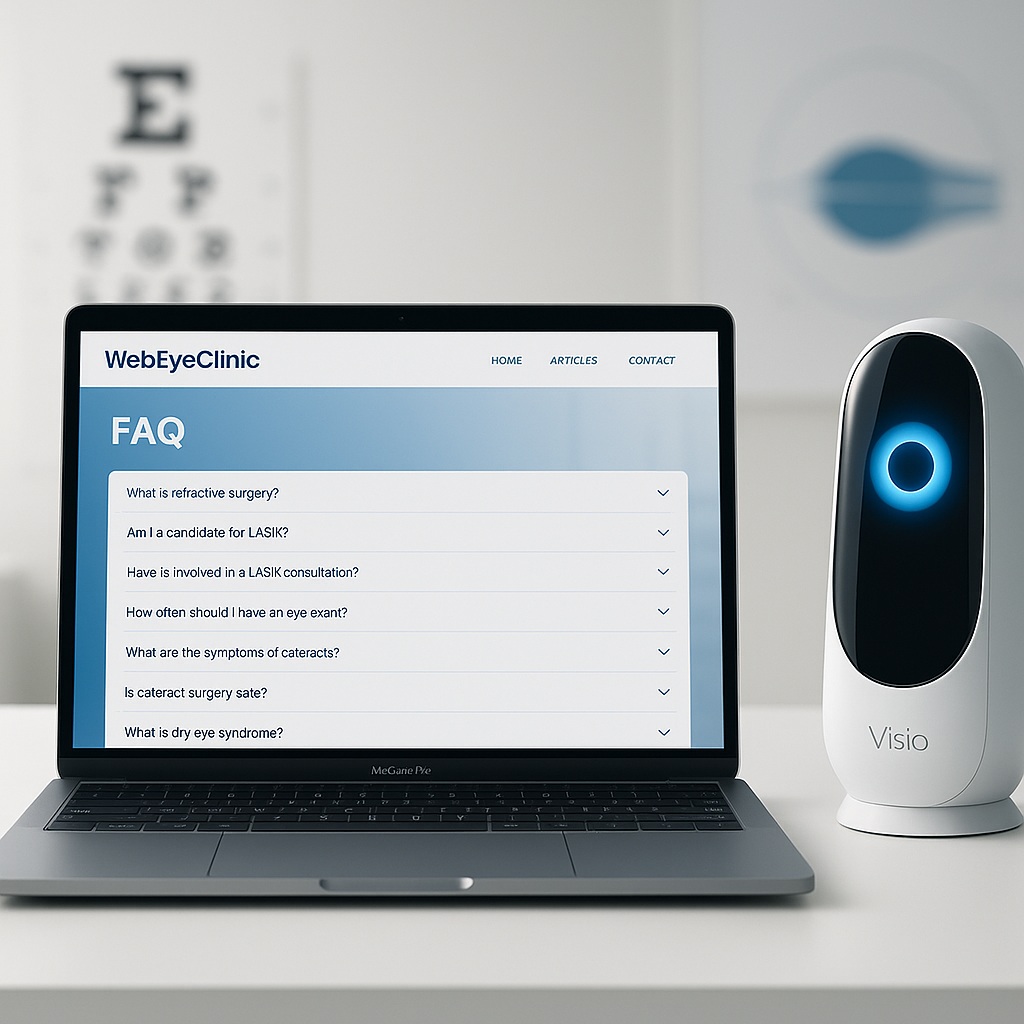
WebEyeClinic combines Visio, our AI eye-care assistant, with access to WebEyeClinic Eye Doctors. You can describe your eye symptoms, verify your email, upload eye images or PDF reports, and receive educational guidance.
If an Eye Doctor is available online, they may join your conversation and communicate with you directly. If no Eye Doctor is available at that time, you do not need to wait on the website. Your case can be reviewed later, and the doctor may send you a message if further guidance, information, or follow-up is needed.
1. What is WebEyeClinic?
WebEyeClinic is an online eye-health education and guidance service. It allows you to start a private patient conversation, describe your symptoms to Visio, upload relevant eye images or reports, and make your case available for review by a WebEyeClinic Eye Doctor.
If an Eye Doctor is available while you are online, they may join your conversation. If no doctor is available at that time, your case can be reviewed later.
2. Is WebEyeClinic free?
Yes. WebEyeClinic currently allows patients to start and use the online eye-guidance service without paying before beginning a conversation.
If the service helps you, you may choose to support WebEyeClinic through an optional donation. A donation is not required to start your conversation.
3. Does “Chat With an Eye Doctor Online for Free” mean a doctor is always available immediately?
No. An Eye Doctor may not be online at the exact time you start your conversation.
Your conversation starts with Visio, our AI eye-care assistant. If an Eye Doctor is available online, the doctor may join the conversation and communicate with you directly.
If no Eye Doctor is available, you can complete your conversation with Visio and leave the website. Your case can be reviewed later. If the doctor needs to contact you, WebEyeClinic can send a notification to your verified email address.
4. What is Visio?
Visio is WebEyeClinic’s AI eye-care assistant.
Visio helps you describe and organise your eye concern, asks relevant follow-up questions, considers the information and attachments you provide, and gives educational guidance about possible next steps.
Visio is not a human doctor, does not physically examine your eyes, and does not replace an ophthalmologist, optometrist, emergency department, or other appropriate healthcare professional.
5. Are there real Eye Doctors on WebEyeClinic?
Yes. WebEyeClinic includes an Eye Doctor service in addition to Visio.
A WebEyeClinic Eye Doctor can review your case, including the symptoms you described, your conversation history, and relevant eye images or PDF reports that you uploaded.
If a doctor is available online, they may join your live conversation. If not, your case can be reviewed later and the doctor can send you a message if needed.
6. What happens when an Eye Doctor joins my live chat?
When an Eye Doctor takes over the live conversation, Visio is paused for that case so you can communicate directly with the doctor.
The doctor can review the information already provided, ask additional questions, discuss relevant uploaded material, and send messages or attachments through the same private case.
7. What happens if no Eye Doctor is online?
You do not need to stay on the website waiting.
You can finish providing your information to Visio, upload relevant images or reports, and then leave the page.
Your case can be reviewed later by an Eye Doctor. If the doctor wants to provide further guidance, ask a follow-up question, or request more information, the doctor can send you a message through your WebEyeClinic case.
8. How will I know if an Eye Doctor sends me a message after I leave?
If you are offline when an Eye Doctor sends a message, WebEyeClinic can send a notification to your verified email address.
The email contains a protected return link that allows you to return to your private My Chat conversation.
9. What is My Chat?
My Chat is the private return page used when you come back to an existing WebEyeClinic case.
From My Chat you can read new messages from the Eye Doctor, reply to the doctor, and send additional eye images or PDF reports if needed.
10. Can I reuse the same email return link again and again?
The secure return process uses time-limited protected access. A return link is intended to establish access to your private conversation rather than act as a permanent public link to your medical information.
If you later end your browser session and an Eye Doctor sends another message, WebEyeClinic can send another secure notification when appropriate.
11. Do I need to create a WordPress or membership account?
No. Patients do not need to create a normal WordPress user account or paid membership account to start a WebEyeClinic conversation.
You provide the patient details required for the case and verify your email address before the case is created.
12. Why do I have to verify my email address?
Email verification helps WebEyeClinic confirm that you have access to the email address connected to the case.
It is also important because your verified email can later be used to notify you if an Eye Doctor sends a message while you are offline.
Email verification is also part of WebEyeClinic’s protections against automated abuse of the patient service.
13. What details do I enter before starting?
You may be asked for basic patient information including your first name, email address, age, gender, country, city, and preferred chat language.
This information helps create your patient case and provides useful context for your eye concern.
14. What eye symptoms can I ask about?
You can describe many different eye or vision concerns, including:
- Red eye
- Blurry or reduced vision
- Eye pain or discomfort
- Dry or irritated eyes
- Flashes or floaters
- Eye discharge
- Contact-lens problems
- Double vision
- Swollen eyelids
- Eye or eyelid photographs you would like help understanding
- Changes in vision
- Questions about an eye scan, prescription, or clinic report
Online guidance has limitations, so some symptoms will still require an in-person examination.
15. Can I upload a photograph of my eye?
Yes. WebEyeClinic accepts supported eye images in JPG, PNG, and WebP formats.
For example, you may upload a clear photograph of the eye, eyelid, visible redness, swelling, or another relevant image.
A photograph can provide useful context, but it cannot replace examination with appropriate eye-care equipment.
16. Can I upload OCT, Pentacam, fundus, visual field, or other eye reports?
Yes. Relevant clinical material can be uploaded when it is available as a supported image or PDF.
Examples may include:
- OCT scans
- Pentacam maps
- Corneal topography
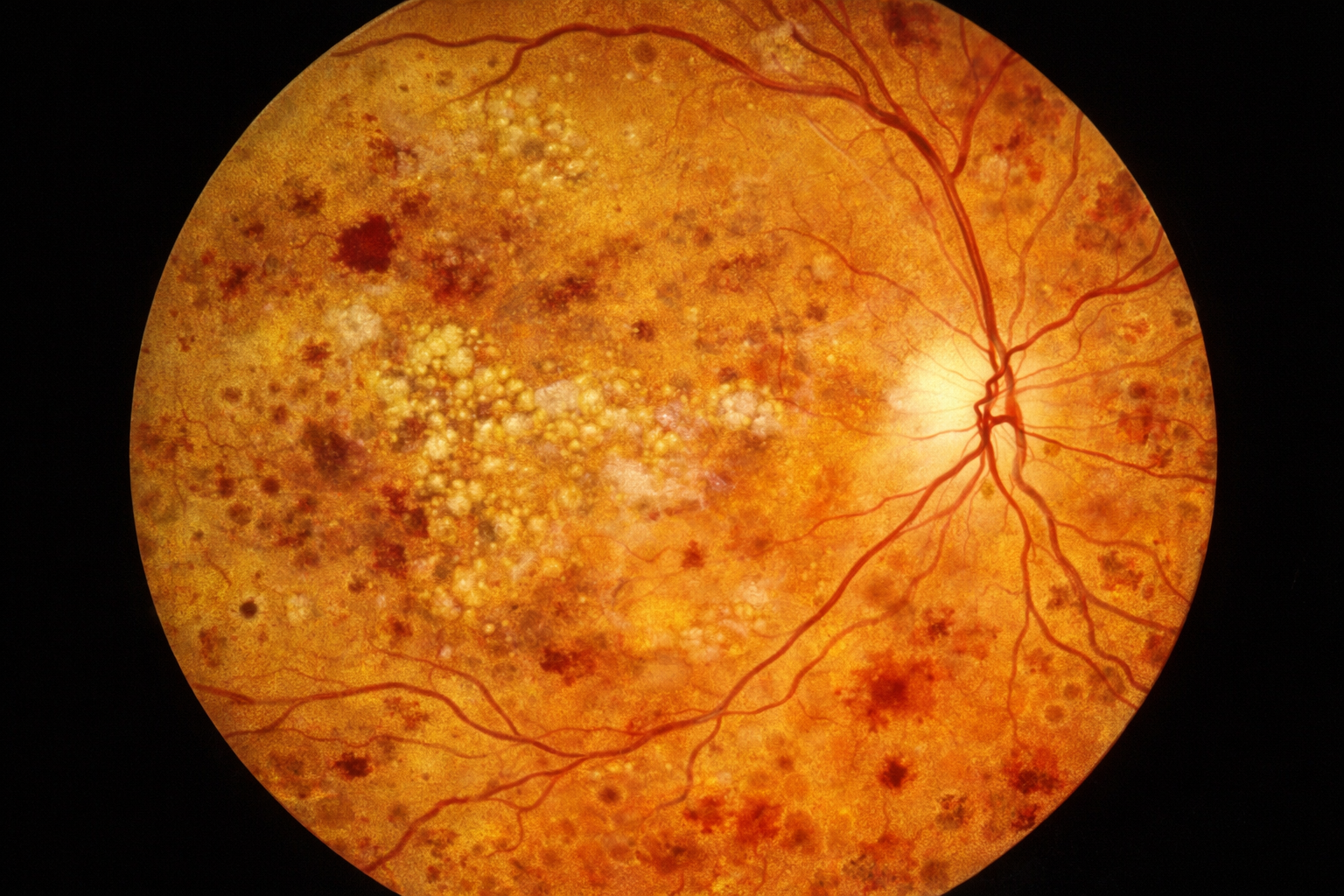
- Fundus or retina photographs
- Visual field test results
- Eye prescriptions
- Clinic letters
- Discharge summaries
- Other relevant eye-related reports
17. Can I upload PDF reports?
Yes. PDF uploads are supported because many ophthalmology reports, scan results, referrals, and clinic documents are provided as PDFs.
WebEyeClinic performs file validation and additional PDF safety checks before accepting supported PDF attachments.
18. What are the attachment limits?
A single message can contain:
- Up to 5 JPG, PNG, or WebP images; or
- 1 PDF document.
The maximum supported size is 5 MB per attachment.
Images and a PDF are not mixed in the same message.
19. Can the Eye Doctor send images or PDF documents to me?
Yes. The Eye Doctor can send supported images or PDF documents through the private case when needed.
You can open or download an attachment made available to you through your authorised patient conversation.
20. Can I send an image or PDF back to the Eye Doctor from My Chat?
Yes. If you return through My Chat, you can reply with text and attach supported images or a PDF report.
You can also send an attachment without adding extra text if the attachment itself is what you need to provide.
21. Are my uploaded files placed in the public WordPress media library?
No. WebEyeClinic’s patient attachments are handled through the private case system rather than being published as ordinary public website media.
Access to stored attachments is checked through the authorised patient or staff case path before the file is returned.
22. Does WebEyeClinic check uploaded files?
WebEyeClinic validates supported image and PDF files before accepting them.
Stored attachments are also checked against their recorded file size and integrity information before they are returned through the case system.
PDFs are additionally screened for certain active-content features that WebEyeClinic does not accept.
These controls improve safety, but no upload system can guarantee that every possible malicious file will always be detected. WebEyeClinic continues to review additional malware-scanning controls.
23. Can Visio look at the images or information I provide?
Visio can use the information provided during your WebEyeClinic conversation to generate educational eye-health guidance.
Uploaded information should therefore be relevant to the eye concern you are asking about. Avoid including unrelated personal documents or information that is not needed for your case.
24. Does WebEyeClinic store AI conversations with the AI provider?
WebEyeClinic’s Visio integration is configured so that its AI requests explicitly request no application-state storage for the response through the AI API.
This is one part of WebEyeClinic’s privacy approach. Separate provider, security, legal, and infrastructure requirements may also apply to the operation of the service.
25. Is my WebEyeClinic conversation public?
No. Patient conversations are intended to be private case conversations, not public posts or public comments on the website.
WebEyeClinic uses verified email access, protected patient sessions, case-based access controls, and other safeguards to reduce unauthorised access.
26. Does WebEyeClinic use protection against automated abuse?
Yes. WebEyeClinic includes measures designed to reduce automated or excessive use of patient onboarding, case creation, Visio requests, replies, and attachments.
These protections are designed to work without requiring ordinary patients to complete a third-party CAPTCHA before using the service.
27. Can I choose my preferred language?
Yes. WebEyeClinic allows you to select a preferred chat language and communicate in the language that is most comfortable for you where supported.
This is intended to make eye-health information easier to understand for patients from different countries and language backgrounds.
28. Can WebEyeClinic give me a final diagnosis?
No. WebEyeClinic provides online educational guidance and does not replace the examination needed to establish a final medical diagnosis.
Many eye conditions can produce similar symptoms and may require vision testing, slit-lamp examination, eye-pressure measurement, pupil dilation, retinal examination, OCT, corneal imaging, laboratory testing, or other investigations.
29. Can WebEyeClinic prescribe or change my medication?
No. WebEyeClinic should not be used to obtain prescriptions, start or stop medication, or change the treatment prescribed by your own healthcare professional.
If you have questions or concerns about prescribed medication, contact the clinician responsible for your treatment or seek appropriate in-person medical advice.
30. Why can’t eye problems always be diagnosed from symptoms or photographs online?
Different eye conditions can produce similar symptoms or appearances.
For example, a red and painful eye may have many possible causes. Important findings may only become visible when the eye is examined with a slit lamp, when eye pressure is measured, when the pupil is dilated, or when appropriate imaging or other tests are performed.
Online guidance can help organise the available information, but it cannot reproduce a complete physical eye examination.
31. Can WebEyeClinic tell me whether my problem sounds urgent?
WebEyeClinic can provide educational guidance about warning signs and may advise you to seek urgent or emergency in-person assessment based on the information you provide.
However, online guidance cannot guarantee that a serious condition has been excluded. If you believe your vision or eye may be at risk, seek appropriate in-person care rather than waiting for an online response.
32. When should I seek urgent eye care instead of waiting for WebEyeClinic?
Seek urgent in-person medical or eye care if you experience symptoms such as:
- Sudden loss of vision
- A new dark curtain, shadow, or missing area in your vision
- Severe eye pain
- A painful red eye with light sensitivity or reduced vision
- Sudden new flashes or many new floaters
- Significant eye injury or trauma
- Chemical exposure to the eye
- Rapidly worsening vision after eye surgery or another eye procedure
- Severe headache associated with significant visual changes, nausea, or vomiting
Do not wait for Visio or an Eye Doctor to reply if you believe you need emergency or urgent medical attention.
33. Can WebEyeClinic help me understand which type of eye specialist I may need?
WebEyeClinic can provide general educational guidance about different areas of eye care and explain why a particular type of specialist may be relevant.
Examples include retina, cornea, glaucoma, cataract, paediatric ophthalmology, oculoplastic, neuro-ophthalmology, or other specialist eye services.
The appropriate referral still depends on your full clinical situation and local healthcare system.
34. Can WebEyeClinic help me understand an OCT or other eye report before my next appointment?
Yes. One of WebEyeClinic’s purposes is to help make eye tests and medical terminology easier to understand.
You can provide relevant information or upload supported images or reports and ask questions about terms you do not understand.
The explanation is educational and should be discussed with the clinician who examined you when decisions about diagnosis or treatment are required.
35. Can WebEyeClinic replace my local ophthalmologist or optometrist?
No. WebEyeClinic is designed to complement appropriate eye care, not replace it.
It can help you understand information, organise your symptoms, prepare questions, and understand why a particular type of in-person assessment may be recommended.
36. Can I leave the page after I finish speaking with Visio?
Yes. If no Eye Doctor is available online, you do not need to keep the page open simply to wait for a doctor.
Your saved case can be reviewed later. If an Eye Doctor sends you a message while you are offline, WebEyeClinic can notify you using your verified email address.
37. What does “End Chat” do?
When you choose End Chat, WebEyeClinic closes that active patient chat session and invalidates the active session access associated with it.
This helps prevent someone who later uses the same browser session from simply continuing to access the conversation through the old active session.
38. What does “End this browser session” in My Chat mean?
This option ends the current browser’s access to the private returned patient conversation.
It is useful when you have finished reading or replying to the Eye Doctor, particularly when using a shared or temporary device.
39. Can the Eye Doctor see the information I already gave Visio?
Yes. The purpose of the case system is to allow the Eye Doctor to review relevant information already provided in that patient case, including the conversation and available attachments, so you do not have to start the explanation again from the beginning.
40. Will Visio continue replying while an Eye Doctor is handling my case?
When an Eye Doctor takes over the case for direct communication, Visio is paused for that case so that the live patient conversation is handled by the doctor rather than having simultaneous AI and doctor replies.
41. Does an Eye Doctor have to message every patient after reviewing a case?
Not necessarily. An Eye Doctor may review the case and send a message when further guidance, clarification, additional information, or follow-up is needed.
You should therefore not delay necessary medical care simply because you are waiting to receive a separate doctor message.
42. How is WebEyeClinic different from simply asking a general AI chatbot an eye question?
WebEyeClinic is built specifically around a structured eye-care workflow rather than being only a general chat box.
The service includes:
- A dedicated AI eye-care assistant called Visio
- Verified patient email before case creation
- A saved private patient case
- Eye image and PDF report attachments
- Eye Doctor case review
- Live doctor takeover when an Eye Doctor is available
- Direct patient-to-doctor messaging
- Doctor-to-patient images and PDF attachments
- Secure My Chat return access for patients who are offline
- Patient-to-doctor attachments from My Chat
- Abuse and rate-limit protections
43. How is WebEyeClinic different from a normal eye-health information website?
A traditional website normally provides the same article to every reader.
WebEyeClinic allows you to create a patient-specific conversation, describe your own symptoms, provide relevant attachments, ask follow-up questions, and potentially continue that same case with an Eye Doctor.
It remains an educational service and does not remove the need for appropriate in-person care.
44. Is the floating WebEyeClinic chat button available on every page?
WebEyeClinic’s main public service is available through the configured Chat With an Eye Doctor Online for Free page.
A website-wide floating launcher may also be used by WebEyeClinic, but this is a separate website setting and is not required for the main patient chat page to work.
45. How do I start?
To begin:
- Visit Chat With an Eye Doctor Online for Free
- Enter the requested basic patient details
- Verify your email address
- Start describing your eye concern to Visio
- Answer relevant follow-up questions
- Upload images or a PDF report when useful
- If an Eye Doctor is online, they may join your conversation
- If no Eye Doctor is online, you can leave and your case can be reviewed later
- If the doctor sends a message while you are offline, use the secure email notification to return to My Chat
Ready to Start?
Start a private WebEyeClinic conversation, describe your eye symptoms to Visio, and upload relevant eye images or PDF reports if needed.
If an Eye Doctor is available online, they may join your conversation. If no doctor is available at that time, you can leave the website and your case can be reviewed later. If the Eye Doctor needs to contact you, WebEyeClinic can notify you by verified email so you can return securely to My Chat.
Important Reminder
WebEyeClinic is designed to make eye-health information easier to understand and to help patients communicate relevant information to an Eye Doctor.
It does not replace a physical eye examination, and you should not delay urgent or necessary face-to-face care while waiting for an online response.
If an Eye Doctor is available online, they may join your chat. If no Eye Doctor is available, your case can be reviewed later and the doctor may send you a message if further guidance or follow-up is needed.
Last updated: August 27, 2026.
“`